
Your team can now get a rendering in minutes and a first draft of a spec before lunch. AI does that part well. What it cannot do is give your firm more capacity on its own, or take responsibility for a drawing set. If you are planning your team around AI, you need to know where that line sits.
This guide sorts everyday production work into what AI can finish, what it can draft for an experienced person to fix, and what still belongs to a licensed professional. Then it looks at what that means for hiring.
Firms that skip this sorting usually make one of two mistakes. Some use AI too little and lose hours it could have given back. Others hand off too much, and unchecked AI work ends up in a drawing set. That creates legal risk the firm may not notice until a problem shows up on site.
Where AI works well today
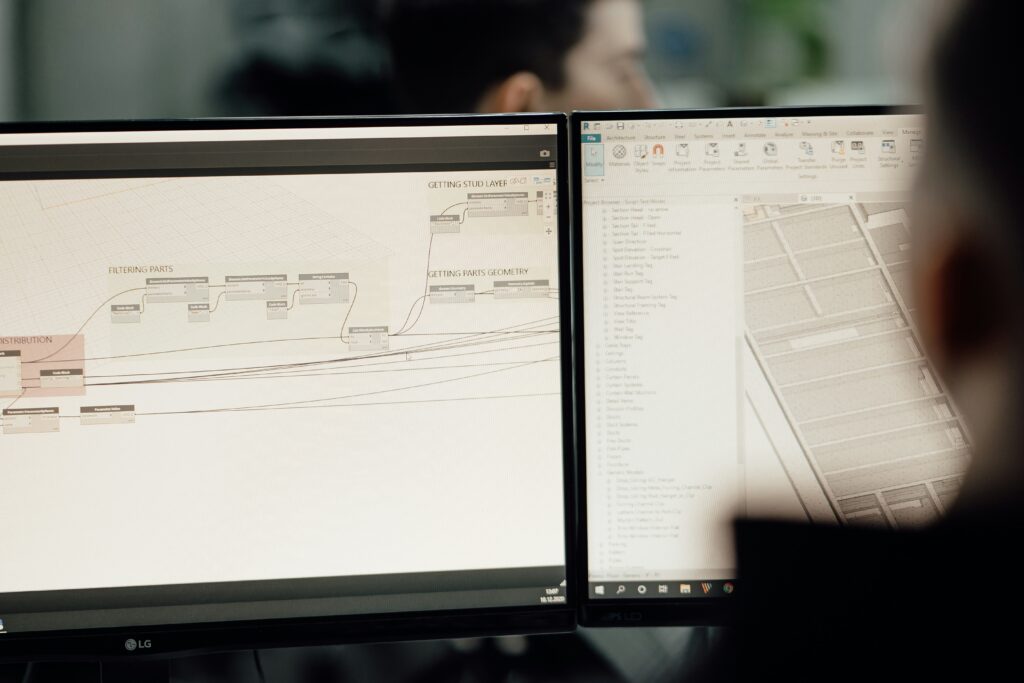
Right now, AI works well in three areas: rendering and visuals, repetitive documentation, and code and regulation research. Rendering gives the biggest payoff. An image that used to take 2 to 4 hours can now take under 10 minutes, which makes rendering the most valuable use of AI in most production work.
Generative design tools get you most of the way. They can take an early schematic design to about 80 to 90% complete. The last 10 to 20%, the part that makes a set ready for construction, still needs a trained professional.
That points to a simple division of work. AI does the repetitive tasks, and people handle coordination, judgment, and accountability. AI can finish the task in front of it. Turning those finished tasks into more project capacity is a different problem, and that problem needs people.
Sort your work into three tiers
| Tier | What AI does | Who checks the work |
| 1. AI does it | Makes finished work | A team member does a quick check |
| 2. AI helps | Makes a first draft | An experienced production professional reviews it, fixes it, and approves it |
| 3. People do it | Helps with research, at most | The licensed professional who owns the work |
Tier 2 usually takes the most hours. It is also where firms most often plan for too few people. AI writes the draft. Then someone with enough experience to spot the AI’s mistakes has to turn that draft into work you can use. A junior drafter working alone cannot do this review well, and an AI tool working with no one watching cannot do it either. Buying the tool does not let a firm take on more projects if Tier 2 drafts are stuck waiting for review.
Who is responsible when AI makes a mistake in construction documents?
The licensed professional who reviews and seals the documents is legally responsible, not the company that made the AI tool. Some legal questions are still open, such as who is responsible for choosing and setting up AI tools, who owns what the AI creates, and who answers for a decision the AI makes on its own.
For a firm, the rule is simple. If AI work goes into a construction document set without a recorded human review, the firm has a gap in its liability protection. Treat AI work the same way you treat a junior drafter’s work. It is helpful, and it is not ready to seal until a licensed professional has checked it and taken responsibility for it.
How AI changes your production team
Production teams still need people when AI arrives, with a different mix of skills. The strongest production staff now keep their core skills in Revit, documentation, and coordination, and add AI tools where they help.
The change in hours is uneven. AI cuts the time spent on Tier 1 tasks. At the same time, it raises the need for experienced mid-level staff who can handle Tier 2 review. Many firms expected AI to make their team smaller. In practice, it makes their most experienced production people more important, and those people are harder to hire than junior drafters.
Training is a second problem. About 60% of AEC professionals have no formal AI training. So most firms will need to train current staff, or hire people who already use these tools well, before they hand off much work to AI.
The third problem is how junior staff learn. Drafting and documentation used to be how junior architects learned the job. AI now does that work first, so firms need a new way for junior staff to build production skills.
Five steps to adjust your firm for AI
- Sort your tasks by tier. List the tasks that take the most hours. Put each one in Tier 1, 2, or 3 before you buy any new design software.
- Find what is really slowing you down. Check whether the problem is a lack of tools or a lack of experienced people to review AI work. If AI drafts are waiting in line for review, it is the second one.
- Train your mid-level staff first. They handle Tier 2 review, so how much you gain from AI depends on how well they use it.
- Write down your AI review steps. Add them to your quality control process (QA/QC): which work gets reviewed, who reviews it, and how each review is recorded. This record helps protect the firm if its professional liability is ever questioned.
- Check if your team can handle the review work. BIM and CAD automation can only move as fast as the people checking its output. If you are short on experienced production staff, more software will not fix that.
Why it is hard to hire for review work
Step 5 often leads to a new hire, and that hire is harder than it looks. A normal hiring process checks for a license and years of experience. It rarely checks whether someone can catch an AI tool’s mistakes in a drawing set, which is a different skill from drawing a set from scratch. One way to test for it is to give your final candidates an AI-made sheet with known errors and see what they find.
BizForce places architects, drafters, BIM and Revit staff, and engineers with firms that need this kind of production help. Each specialist works only for your organization, in your systems, under your managers. Because they work inside one firm’s standards and quality process every day, they build the steady habits that a recorded review step depends on.
Our specialists are based in the Philippines and have an average of 5 years of experience, including experience in the systems you run, such as Revit. You interview and choose each specialist before any commitment, and BizForce’s client success team stays involved after the start. The stamp stays with your licensed principal, so Tier 3 work and final sign-off stay with your firm.
You pay a flat monthly rate for each specialist, with no long-term contracts and no placement fees. That makes one specialist a simple way to find out if your Tier 2 slowdown is really a staffing problem, before you reorganize your whole production team.
Frequently Asked Questions (FAQs)
AI will take over some tasks, like visuals, repetitive documentation, and code research. Code compliance, CD certification, and design decisions still need a licensed person’s judgment. That keeps architects and experienced drafters in the workflow.
AI does a good job with rendering and visuals, standard spec text, filling in standard details, formatting sheets, and early code research. Anything that will be used for construction still needs a person to check it.
The licensed professional who reviews and seals the documents is responsible. Firms need a recorded human review for any AI-made content that goes into a construction document set.
AI can find the code sections that apply and point out possible conflicts. Deciding how those codes apply to a specific project, and signing off on compliance, is still the licensed professional’s job.
It cuts hours on repetitive Tier 1 work. It also increases the need for experienced mid-level staff who can review and fix AI work. Most firms end up needing fewer junior drafters and more experienced production people.
Producing and certifying CD sets, coordinating structural and MEP (mechanical, electrical, and plumbing) work, deciding how codes apply, making value engineering decisions, and giving design advice to clients.
Treat AI as a staffing decision
AI is useful for single tasks. It renders faster, drafts standard text, and takes a schematic design most of the way to DD. Project capacity and professional judgment still come from experienced people, and the firms getting the most from AI use it to help those people do more. Without enough experienced staff, a firm gains little capacity from AI, however good its tools are.
That is the gap BizForce’s model is built around: experienced production staff who become part of your team. Each specialist works only for your organization, in your systems, under your managers, and learns your standards and QA/QC process the way an in-house hire would. You interview and choose each specialist before any commitment, so you see their skills for yourself. BizForce’s client success team stays involved after the start, and the stamp always stays with your licensed principal.
Need more production capacity? Book a 15-minute consultation to meet specialists for your next project!